
Run and join a Rust staging server
Rust’s staging branch is where Facepunch’s upcoming changes land before they reach the main game. Crucible Local Server can run a server on staging so you can test those changes early. The one extra step is that your own Rust client has to be on the same staging build to join it, and that switch happens in Steam, not in the app.
Create a staging server
Section titled “Create a staging server”Use the Staging preset when you create a server. A second step asks which staging build to run:
- staging main (the usual choice), available on vanilla, Carbon or Oxide.
- one of the aux dev branches, which are vanilla only.
The aux branches split into two kinds:
aux01-stagingandaux02are public. They install like any other branch, with no code to enter.aux03andaux04are private betas. Steam refuses them without an access code, so the app gives those rows a code field.
Facepunch rotates these branches, and the names are not always what you would guess, so pick from the list the app shows you; it is always current.
The app installs that build for you through SteamCMD, the same as any other install. See installing the Rust server files.
Switch your Rust client to the same branch
Section titled “Switch your Rust client to the same branch”A staging server and your Rust client have to be on the same build, or the client cannot connect. Match them in Steam:
1. Find Rust in your Steam library. A client that is already on staging shows the branch next to the name.

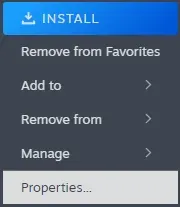
2. Right-click Rust and choose Properties.
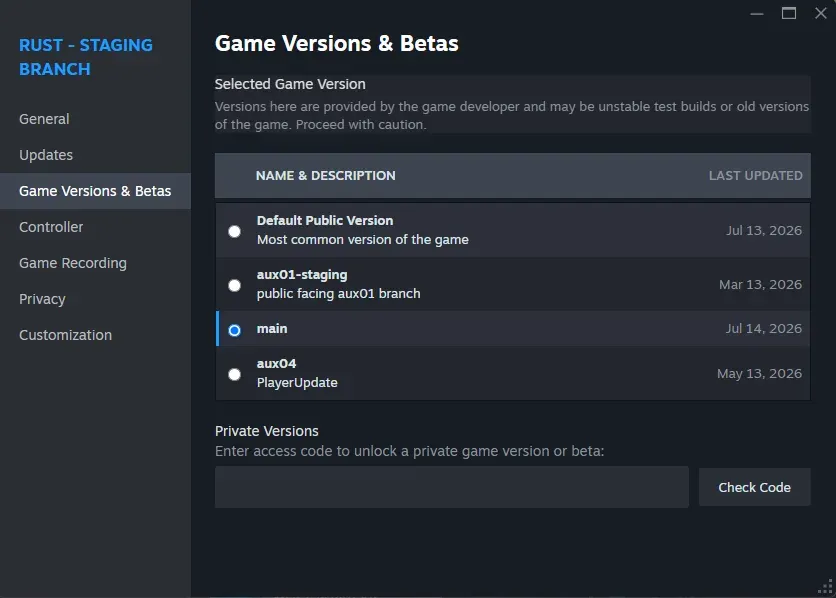
3. Open the Game Versions & Betas tab and pick the build. Choose the same one your server runs: main for staging main, or the matching aux branch. Choose Default Public Version to go back to the live game.
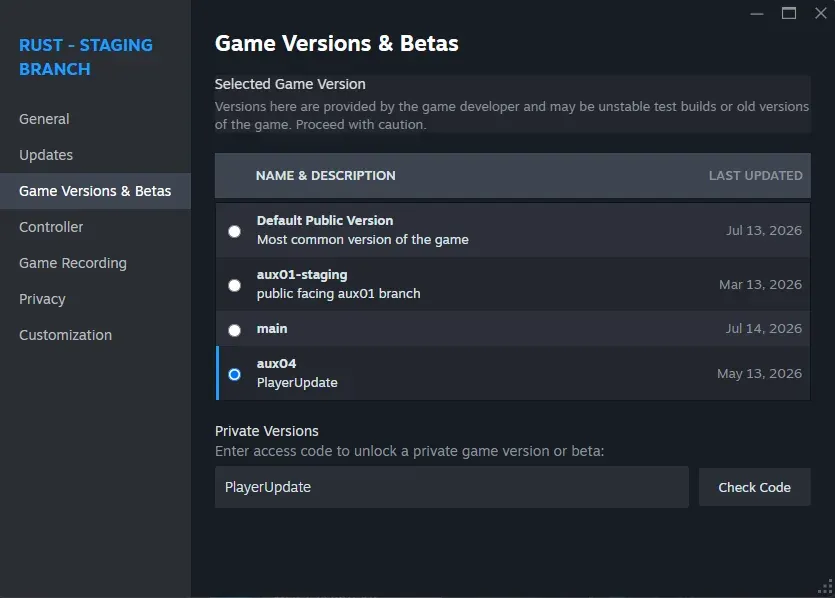
4. For a private aux branch, enter the access code. aux03 and aux04 are private betas: Facepunch posts an access code when one opens. Type it into Private Versions, press Check Code, then select the branch it unlocks. This is the same code the app asks for on that branch’s install row. aux01-staging and aux02 are public, so you pick them straight from the list with no code.
5. Let Steam update Rust. Steam downloads that build of the client. Once it is done, your client is on the branch.
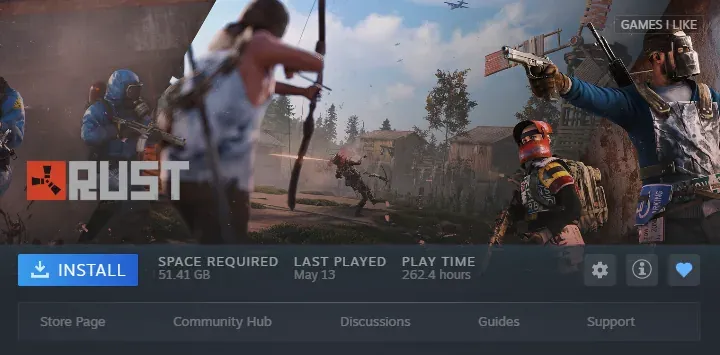
With your client on the matching branch, start the staging server in Crucible Local Server, wait for Live, and join it the same way you would any other local server. Its Join button launches the separate Rust - Staging Branch client for you (a release server launches release Rust), so the right app opens either way. Switching that client to the matching branch, above, is still yours to do in Steam. See console, RCON, and admin tools for the Join button and connect strings.
When you are done testing, switch your Steam client back to Default Public Version to play the live game again.
Related
Section titled “Related”- Create your first Rust server and the Staging preset.
- Install Crucible Local Server and the branches it offers.
- Restart your server automatically to keep a staging server on the latest build.