
Volcanoes, craters and calderas
Crucible builds three related landforms, and they are separate island styles rather than settings on one shape:
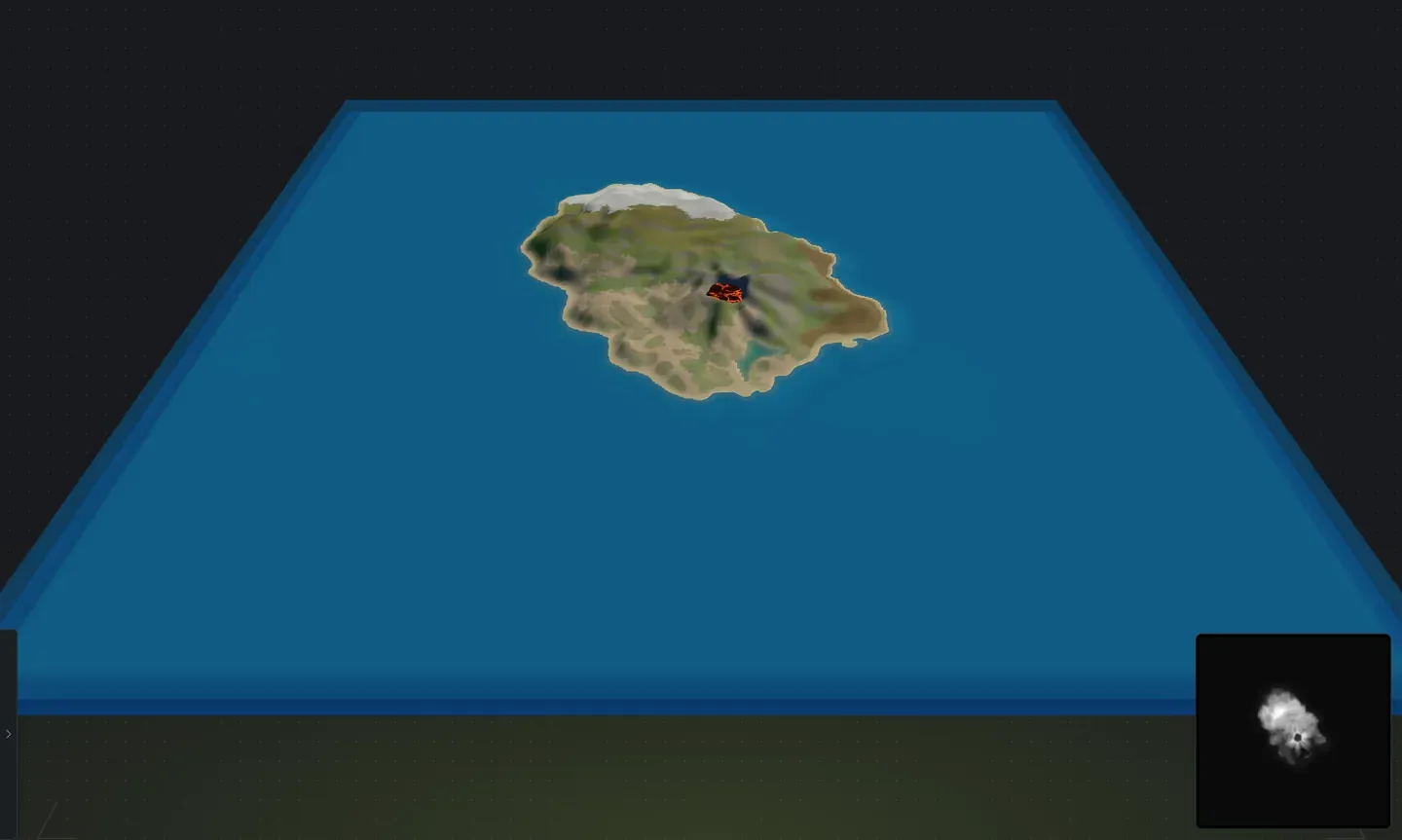
- Volcano: a tall narrow cone with a deep vent, standing on a ridged island. It is the only one of the three that carries lava.
- Crater: a broad shallow bowl bitten out of a mountain top. Walkable, no lava, and its floor stays flat enough to build on.
- Caldera: a partly collapsed volcano ringed by low ground you can walk and build on, usually with water in the middle. Roughly one caldera in four rolls dry, so the bowl is open ground instead of a lake.
Pick one
Section titled “Pick one”Open the island randomizer drawer (I) and use the Single island shapes column. Leave the styles you want on and turn the rest off; a Conjure rolls from whatever is left ticked.
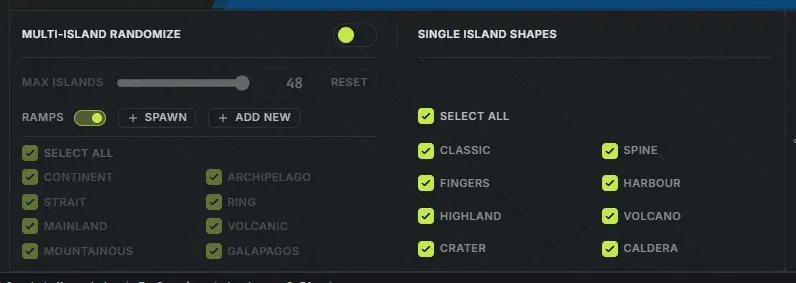
That column is live when Multi-island randomize is off, and also whenever you have an island selected, so you can re-roll one island of a big map into a volcano without touching the rest.
A whole map full of them is a different feature: the Volcanic and Galapagos map styles grow cones across a full multi-island map.
Shape it
Section titled “Shape it”Select the island (click it on the map) and the Volcano group in the sliders sidebar unlocks. It is always visible and greys out until the island in front of you is one of the three cone styles, so an empty-looking group means you have the wrong island selected.
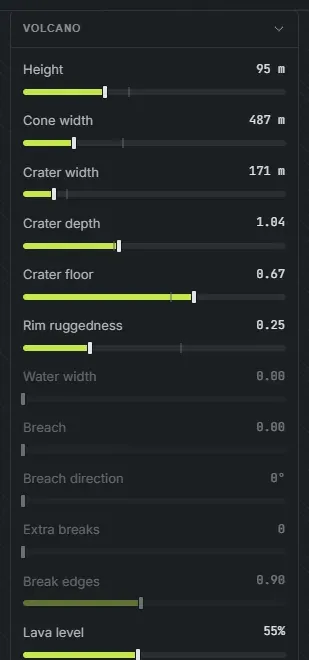
Twelve rows, and five of them only apply to a caldera:
- Height, Cone width: how tall and how wide the cone is. Both read out in metres.
- Crater width, Crater depth: the vent. Crater width is held under the cone width, so the rim always has something to sit on.
- Crater floor: how much of the bowl is flat floor rather than inner wall. This is what makes a crater a walkable dent instead of a pit.
- Rim ruggedness: how much the rim’s height varies as it goes round. Low is a clean cone, high is a broken ring.
- Lava level: how full the vent is. Volcano only.
- Water width (caldera): how much of the middle is open water.
- Breach, Breach direction, Extra breaks, Break edges (caldera): a caldera’s ring can open. Breach sets how wide, Breach direction aims it as a compass bearing over the map, Extra breaks opens more gaps at the ring’s own low points, and Break edges controls how ragged those openings are.
The rest of the island’s sliders keep working as usual, so the ground around the cone is yours to shape.
The lava
Section titled “The lava”A volcano’s vent carries real lava, and it is the damaging Rust prefab, not a texture. Anything standing in it takes damage, which makes a volcano a genuine map hazard rather than scenery.
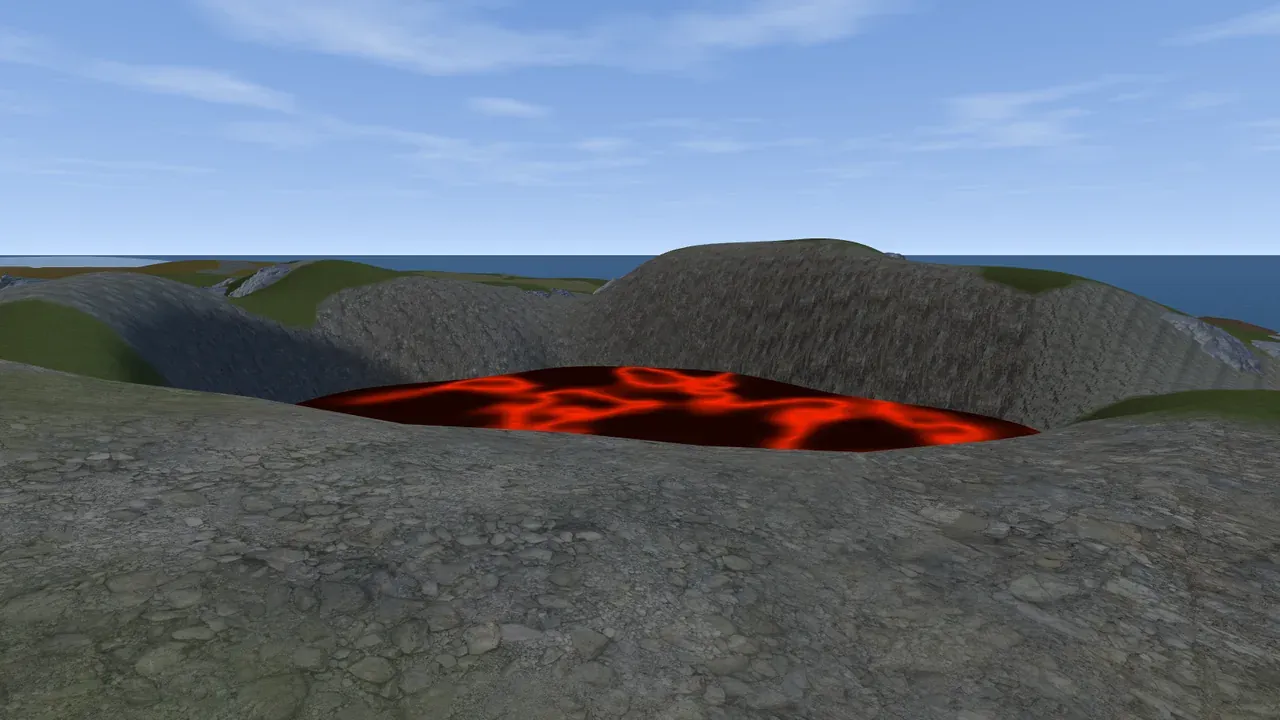
It shows up in all three places: the 3D preview draws a molten crust, the in-game view spawns the real prefab, and the .map carries it into RustEdit.
Generate lava, in the Worldgen panel beside Generate cliffs and Generate lakes, turns it off in the views. Like the other two it is a preview switch: the export decides for itself which outputs carry lava.
The pool will not rise above the lowest point of the rim, whatever Lava level is set to. Anything higher would be standing outside the mountain, so on a crater with a notch in its ring the level tops out early and the last part of the slider does nothing. That is the cap doing its job. If lava does appear outside the cone, the usual cause is another island sitting under the volcano and lifting the crater floor.
What ships in the .map
Section titled “What ships in the .map”The default All layers export carries the lava along with everything else. If you want the lava on its own, the Lava chip writes just that, and Cliffs and Lakes deliberately leave it out. See export a Rust .map file for the whole row.
When a caldera rolls wet, its central water is a real lake, not lava, so it ships as a Rust water body with its own shoreline layers. A dry one is simply ground.
What to expect on the ground
Section titled “What to expect on the ground”- A cone flank is bare on purpose, with the forest held back, so a cone reads as a cone from the air, which matters if you are thinking about what spawns where.
- A volcano grows ash fans. A few wide tongues of grey ground run down the flank from the rim, burying the vegetation along the way. A crater and a caldera get none, because neither is erupting.
- A crater’s floor is kept clear. Nothing is placed in the middle of a bowl, so it stays usable as a build spot or a monument pad.
- Cliffs climb the inside of a bowl. They are the hill cliffs rather than the tall walls, so a crater interior has rock on its wall without a wall of stone across it.
- Full multi-island maps for the Volcanic and Galapagos styles.
- Worldgen for the biomes, topology and cliffs around it.
- Export a Rust .map file when you are happy with it.